
Download Eclipse AI – AI‑Powered Customer Feedback Analyzer
Why Modern Businesses Need an AI‑Driven Feedback Engine
In today’s hyper‑connected marketplace, customers interact with brands across dozens of channels – from email and live chat to social media, voice calls, and in‑app messaging. Each interaction contains valuable signals about satisfaction, pain points, and emerging trends, yet most organizations still struggle to aggregate, interpret, and act on this wealth of information. The result is a fragmented view of the customer journey, missed opportunities for proactive service, and higher churn rates that erode revenue.
Traditional feedback tools often rely on manual tagging, static dashboards, or siloed reporting, which makes it difficult for teams to uncover hidden patterns or predict issues before they explode. Moreover, the sheer volume of unstructured text – think millions of support tickets, reviews, and social mentions – overwhelms even the most seasoned analysts. That’s where an AI‑powered platform like Eclipse AI becomes a game‑changer.
By automatically unifying omnichannel data, applying natural language processing (NLP) at scale, and surfacing actionable insights in real time, Eclipse AI transforms raw conversation into a strategic asset.
Companies that adopt such technology gain several tangible benefits: faster detection of negative sentiment, data‑driven prioritization of product improvements, automated routing of critical tickets, and the ability to run predictive churn models that alert managers weeks in advance. All of these capabilities translate into higher customer satisfaction scores, lower support costs, and a measurable boost to lifetime value.
In short, the modern CX landscape demands an intelligent, secure, and scalable solution – and Eclipse AI is built precisely to meet those demands.
Overview and Core Features of Eclipse AI
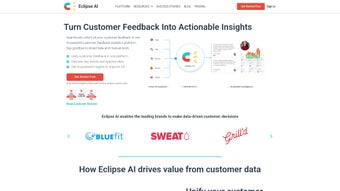
Eclipse AI is a cloud‑native, subscription‑based platform that consolidates fragmented, omnichannel voice‑of‑customer data into a single, AI‑driven dashboard. The system ingests messages from email, chat, SMS, social media, phone calls, and in‑app communications, then applies state‑of‑the‑art NLP and machine‑learning models to generate sentiment scores, topic clusters, and predictive churn alerts. The insights appear in customizable, role‑based widgets that can be embedded directly into existing workflows such as Salesforce, Zendesk, HubSpot, or Microsoft Teams. Regular model updates keep the engine current with evolving slang, industry jargon, and multilingual support, while end‑to‑end encryption and compliance certifications (GDPR, CCPA, SOC 2‑II) protect sensitive data.
- Omnichannel Unification – Centralizes feedback from email, chat, SMS, social media, voice, and in‑app messages.
- Real‑Time Sentiment Scoring – Provides confidence‑weighted sentiment metrics with instant visual alerts.
- Topic Modeling & Clustering – Automatically groups similar comments into themes for faster issue prioritization.
- Predictive Churn Alerts – Flags at‑risk customers using language cues and interaction patterns.
- Seamless Integrations – Pre‑built connectors for Salesforce, HubSpot, Zendesk, Microsoft Teams, Slack, plus custom webhook support.
- Customizable Dashboards – Drag‑and‑drop widgets, KPI tracking, and role‑based views for executives, analysts, and frontline agents.
- Data Export & API Access – Secure CSV export, RESTful API, and OData endpoints for advanced analytics.
- Compliance & Security – GDPR, CCPA, SOC 2‑II compliance, TLS 1.3 encryption, role‑based access control.
- Continuous Model Updates – Monthly AI refreshes that incorporate new slang, industry terminology, and multilingual support.
- Feedback Loop Automation – Triggers follow‑up emails, surveys, or loyalty offers directly from insight cards.
The architecture behind Eclipse AI is built for enterprise‑grade scalability. The ingestion pipeline can process millions of records per day, while the sentiment engine handles thousands of requests per second without noticeable latency. All integrations use OAuth 2.0 for secure token exchange, and the UI adheres to WCAG 2.1 AA standards, ensuring accessibility for all users. For developers, a sandbox environment allows safe testing of custom connectors before moving to production, dramatically reducing risk and time‑to‑value.
Installation, Setup, and Compatibility
Step‑by‑Step Onboarding Guide
- Start Your Free Trial – Visit the Eclipse AI landing page, click “Start Free Trial,” and register with a business email. No credit card is required.
- Domain Verification – An automated email prompts you to add a TXT record to your DNS. This step secures data transmission and verifies ownership.
- Connect Data Sources – In the “Connections” tab, select the channels you want to ingest (e.g., Gmail, Zendesk, Twitter). Authenticate via OAuth or API keys, then map fields such as subject, body, and timestamp.
- Configure Integration Pipelines – Use the visual workflow builder to push insights to downstream tools. Example rule: “If sentiment < -0.5, open a high‑priority ticket in Zendesk.”
- Design Your Dashboard – Drag widgets onto the home screen, set KPI thresholds, and assign role‑based permissions. Save the layout for future use.
- Invite Team Members – Add users by email, assign roles (Admin, Analyst, Viewer), and enable two‑factor authentication for added security.
- Launch the AI Engine – Click “Start Analysis.” Eclipse AI begins ingesting historical data, training models, and generating the first batch of insights within minutes.
Supported Platforms and System Requirements
Eclipse AI is a SaaS solution accessed via any modern web browser (Chrome ≥ 92, Edge ≥ 92, Firefox ≥ 90, Safari ≥ 14). Because the service runs on a multi‑region AWS infrastructure, users experience 99.9% uptime and low latency worldwide. No local installation is required for Windows, macOS, or Linux desktops.
For organizations that demand on‑premise deployment, Eclipse AI offers a Docker‑based container that runs on Kubernetes clusters (Docker ≥ 20.10). Minimum specs: 4 vCPU, 16 GB RAM, 100 GB SSD. The container includes the full AI stack, allowing IT teams to maintain network isolation and data residency while preserving all SaaS features.
Mobile access is provided through a responsive web design and native iOS/Android companion apps (available on the App Store and Google Play). The apps deliver push notifications for critical alerts, quick sentiment snapshots, and the ability to comment on insights directly from a smartphone, ensuring that decision‑makers stay informed on the go.
Pros and Cons – A Balanced Assessment
What Users Love About Eclipse AI
- Unified view of all customer interactions eliminates data silos.
- Highly accurate AI models that improve over time with continuous updates.
- Intuitive drag‑and‑drop dashboards reduce reliance on specialized data engineers.
- Robust integration ecosystem accelerates workflow automation.
- Enterprise‑grade security and compliance meet strict regulatory requirements.
- Scalable architecture supports both SMBs and large enterprises.
Areas for Improvement
- Pricing tiers may be steep for very small businesses without a clear ROI calculator.
- Initial data mapping can be time‑consuming for organizations with legacy systems.
- Advanced customization of AI models (e.g., custom vocabularies) requires a premium plan.
- The mobile app lacks offline analysis capabilities.
- Support response times for lower‑tier plans can be slower during peak periods.
Overall, Eclipse AI earns a solid 4‑star rating for its comprehensive feature set, AI accuracy, and seamless integrations. The platform shines in turning raw feedback into strategic actions, though smaller teams should weigh the cost against the expected gains.
Frequently Asked Questions
How does Eclipse AI handle data privacy and compliance?
Eclipse AI meets GDPR, CCPA, and SOC 2‑II standards. All data is encrypted in transit (TLS 1.3) and at rest (AES‑256). Role‑based access control, detailed audit logs, and data‑ residency options for on‑premise deployments ensure that organizations maintain full governance over their information.
Can I integrate Eclipse AI with my existing CRM?
Yes. Pre‑built connectors are available for Salesforce, HubSpot, Microsoft Dynamics, and many others. If your CRM is not listed, you can use the generic REST API or webhook to push and pull data, with the integration wizard guiding you through authentication and field mapping.
What languages does the sentiment engine support?
The core engine supports English, Spanish, French, German, Portuguese, Mandarin, and Japanese out of the box. Additional languages can be added via the “Custom Language Pack” add‑on, expanding coverage to over 30 languages with regular model updates.
Is there a free tier or trial available?
Eclipse AI offers a 14‑day free trial with full feature access. While there is no permanent free tier, the trial lets you evaluate data ingestion, AI insights, and integration workflows before committing to a subscription.
How often are the AI models updated?
Model updates are released monthly for all SaaS customers, incorporating new vocabulary, improved sentiment accuracy, and expanded language support. On‑premise users receive the same updates through a secure container registry.
Conclusion – Should You Download Eclipse AI?
In a world where every customer interaction can be a source of competitive intelligence, Eclipse AI provides a powerful, AI‑driven platform that transforms noisy feedback into clear, actionable insight. Its ability to unify omnichannel data, deliver real‑time sentiment and predictive alerts, and integrate seamlessly with the tools you already use makes it a compelling investment for businesses focused on retention, growth, and operational efficiency.
Although the pricing reflects its enterprise‑grade capabilities, the potential ROI—reduced churn, faster issue resolution, and more targeted marketing—can quickly outweigh the cost. For smaller teams, the 14‑day trial offers a risk‑free way to test the platform’s fit, while the on‑premise Docker option satisfies strict data‑governance requirements.
Ready to experience AI‑powered CX for yourself? Click the button below to start your free trial, explore the dashboard, and see how Eclipse AI can elevate your customer experience strategy.



.png)



